Showing posts with label BlackBerry. Show all posts

How to develop Application Software for BlackBerry Mobile Phones using Eclipse IDE

Download Eclipse from eclipse-jee-ganymede-SR2-win32 eclipse home site

http://www.eclipse.org/downloads/packages/release/ganymede/sr2

Down load eclipse Blackberry plugging eJDE-4_6_1_27_Component from

http://us.blackberry.com/developers/javaappdev/devtools.jsp

Then update eclipse IDE to develop BlackBerry Software. Use the following instructions.

Unzip eclipse source. Then run eclipse.exe

Then go to help > Software Updates you will see following window

clip_image002

Then Click on add site button. You will see following window

clip_image002[6]

Click on archive and point to the Blackberry eclipse plugging and select it.

Then click on selected item and click install.

clip_image002[8]

At the end you may need to restart the eclipse.

Congratulations now you are ready to develop BlackBerry Applications. Happy Coding :)

How to get date time and device id from BlackBerry device programatically Java

These are very basic things in mobile development. but its very useful to keep them documented.First we will see how to get date time
public static String  getCurrentDateTime()
    {
    SimpleDateFormat dateFormat = new SimpleDateFormat("MM/dd/yyyy hh:mm:ss aaa");
    return dateFormat.format(new Date(System.currentTimeMillis()));

    }

Then we will see how to get device id from device 
net.rim.device.api.system.DeviceInfo.getDeviceId()

How to encrypt and decrypt data using Advanced Encryption Standard(AES) Java BlackBerry Pragramming

sample code provides information on how to encrypt and decrypt data using the most common symmetric key algorithm, Advanced Encryption Standard


package com.DataStore;

import java.io.ByteArrayInputStream;
import java.io.ByteArrayOutputStream;
import java.io.IOException;
import java.io.InputStream;
import java.io.OutputStream;
import javax.microedition.io.Connector;
import javax.microedition.io.file.FileConnection;
import javacard.security.CryptoException;
import net.rim.device.api.crypto.AESDecryptorEngine;
import net.rim.device.api.crypto.AESEncryptorEngine;
import net.rim.device.api.crypto.AESKey;
import net.rim.device.api.crypto.BlockDecryptor;
import net.rim.device.api.crypto.BlockEncryptor;
import net.rim.device.api.crypto.CryptoTokenException;
import net.rim.device.api.crypto.CryptoUnsupportedOperationException;
import net.rim.device.api.crypto.PKCS5FormatterEngine;
import net.rim.device.api.crypto.PKCS5UnformatterEngine;
import net.rim.device.api.crypto.RandomSource;
import net.rim.device.api.crypto.SHA1Digest;
import net.rim.device.api.system.EncodedImage;
import net.rim.device.api.util.Arrays;
import net.rim.device.api.util.DataBuffer;

public class CryptoRSA {

    private String keyMessage = "Data sent between a BlackBerry device and the BlackBerry Enterprise Server is encrypted using Triple DES (Date Encryption Standard) or AES (Advanced Encrption Standard). This is performed automatically and does not require application implementation to use it.There are cases where encrypting data can be required, such as secure communication with an external application using the BlackBerry Mobile Data Server. Communication between the BlackBerry and BlackBerry Mobile Data Server would be automatically encrypted but communication between the BlackBerry Mobile Data Server and an application server would not unless implemented in the BlackBerry application.";

    public byte[] encrypt(byte[] data ) throws CryptoException, IOException, CryptoTokenException, CryptoUnsupportedOperationException
    {
    AESKey key = new AESKey( keyMessage.getBytes() );
    // Now, we want to encrypt the data.
    // First, create the encryptor engine that we use for the actual
    AESEncryptorEngine engine = new AESEncryptorEngine( key );

    // Since we cannot guarantee that the data will be of an equal block
    // length we want to use a padding engine (PKCS5 in this case).
    PKCS5FormatterEngine fengine = new PKCS5FormatterEngine( engine );

    // Create a BlockEncryptor to hide the engine details away.
    ByteArrayOutputStream output = new ByteArrayOutputStream();
    BlockEncryptor encryptor = new BlockEncryptor( fengine, output );

    // Now we need to do is write our data to the output stream.
    // But before doing so, let's calculate a hash on the data as well.
    // A digest provides a one way hash function to map a large amount
    // of data to a unique 20 byte value (in the case of SHA1).
    SHA1Digest digest = new SHA1Digest();
    digest.update( data );
    byte[] hash = digest.getDigest();
    // Now, write out all of the data and the hash to ensure that the
    // data was not modified in transit.
    encryptor.write( data );
    encryptor.write( hash );
    encryptor.close();
    output.close();

    // Now, the encrypted data is sitting in the ByteArrayOutputStream.
    // We simply want to retrieve it.
    return output.toByteArray();
    }

    public byte[] decrypt(byte[] ciphertext ) throws CryptoException, IOException, CryptoTokenException, CryptoUnsupportedOperationException
    {
    // First, create the AESKey again.
    AESKey key = new AESKey( keyMessage.getBytes() );

    // Now, create the decryptor engine.
    AESDecryptorEngine engine = new AESDecryptorEngine( key );
    // Since we cannot guarantee that the data will be of an equal block length
    // we want to use a padding engine (PKCS5 in this case).
    PKCS5UnformatterEngine uengine = new PKCS5UnformatterEngine( engine );

    // Create the BlockDecryptor to hide the decryption details away.
    ByteArrayInputStream input = new ByteArrayInputStream( ciphertext );
    BlockDecryptor decryptor = new BlockDecryptor( uengine, input );

    // Now, read in the data. Remember that the last bytes represent
    // the SHA1 hash of the decrypted data.
    byte[] temp = new byte[ 100 ];
    DataBuffer buffer = new DataBuffer();

    for( ;; ) {
        int bytesRead = decryptor.read( temp );
        buffer.write( temp, 0, bytesRead );

        if( bytesRead < 100 ) {
        // We ran out of data.
        break;
        }
    }

    byte[] plaintextAndHash = buffer.getArray();
    int plaintextLength = plaintextAndHash.length - SHA1Digest.DIGEST_LENGTH;
    byte[] plaintext = new byte[ plaintextLength ];

    System.arraycopy( plaintextAndHash, 0, plaintext, 0, plaintextLength );
   
    return plaintext;
    }
}

How to use PersistentStore to store objects in BlackBerry Java programming

Here in this post we will see how to store customer data using PersistentStore.
In my DataObject class used to store customer data. it has 2 parameters customer ID and some string property it may be name address or any other parameter. Also you can change those parameters according to your requirements. we are suing vector to store those pairs in runtime. Hope this will useful for you
============================================
package com.DataStore;

import java.util.Vector;
import net.rim.device.api.util.Persistable;

public final class DataObject implements Persistable
{

    private Vector elements;
    public static final int CLIENT_ID = 0;

    public DataObject()
    {
    elements = new Vector(1);
    int capacity = elements.capacity();
    for (int i = 0; i < capacity; ++i)
    {
        elements.addElement(new String(""));
    }
    }

    /**
     * @param id
     * @return String
     * String getElement(int id)
     */
    public String getElement(int id)
    {
    return (String) elements.elementAt(id);
    }

    public void setElement(int id, String value)
    {
    elements.setElementAt(value, id);
    }
}

==============================================
package com.DataStore;

import java.util.Vector;

import net.rim.device.api.system.PersistentObject;
import net.rim.device.api.system.PersistentStore;
public class DataHandler {

    private static Vector data;
    private static PersistentObject store;

    static
    {
    store =    PersistentStore.getPersistentObject(1);

    synchronized (store) {
        if (store.getContents() == null) {
        store.setContents(new Vector());
        store.commit();
        }
    }

    data = (Vector) store.getContents();

    }

    /**
     * @param info
     * static void saveObject(DataObject info)
     */
    public static void saveObject(DataObject info)
    {
    data.addElement(info);
    synchronized (store) {
        store.setContents(data);
        store.commit();
    }
    }

    /**
     * @return String
     * static String getClient()
     */
    public static String getClient() {

    synchronized (store) {
        data = (Vector) store.getContents();
        if (!data.isEmpty()) {
        DataObject info = (DataObject) data.lastElement();
        return info.getElement(DataObject.CLIENT_ID);
        }
        else
        {
        //If data is empty here we return empty string
        return "";
        }
    }
    }
}

Simplest way to Display Pregressing bar - BlackBerry Java programming

You can create the instance of the  ProgressBar and you can pass the time out and display messages to progressing bar.

import net.rim.device.api.ui.UiApplication;
import net.rim.device.api.ui.component.Dialog;
import net.rim.device.api.ui.component.GaugeField;
import net.rim.device.api.ui.component.LabelField;
import net.rim.device.api.ui.container.DialogFieldManager;
import net.rim.device.api.ui.container.PopupScreen;

public class ProgressBar extends Thread 
{
    private int maximum, timeout;
    private boolean useful;
    private PopupScreen popup;
    private GaugeField gaugeField;
    public ProgressBar(String title, int maximum, int timeout)
    {
        this.maximum = maximum;
        this.timeout = timeout;
        DialogFieldManager manager = new DialogFieldManager();
        popup = new PopupScreen(manager);
        gaugeField = new GaugeField(null, 1, maximum, 1, GaugeField.NO_TEXT);
        manager.addCustomField(new LabelField(title));
        manager.addCustomField(gaugeField);
    }

    public void run() 
    {
        useful = true;
        UiApplication.getUiApplication().invokeLater(new Runnable() 
        {
            public void run() 
            {
                UiApplication.getUiApplication().pushScreen(popup);
               
            }
        });

        int iterations = 0;
        while (useful)
        {
            try 
            {
                Thread.sleep(timeout);
            } 
            catch (Exception e) 
            {
               
            }
            if (++iterations > maximum)
            {
                useful =false;
                UiApplication.getUiApplication().invokeLater(new Runnable() 
                {
                    public void run() 
                    {
                        Dialog.alert("Successfully  Completed");
                         System.exit(0);
                    }
                });
               
                iterations = 1;
            }
            gaugeField.setValue(iterations);
        }

        if (popup.isDisplayed()) 
        {
            UiApplication.getUiApplication().invokeLater(new Runnable() 
            {
                public void run() 
                {
                    UiApplication.getUiApplication().popScreen(popup);
                }
            });
        }
    }

    public synchronized void remove() 
    {
        useful = false;
    }
}

How to do POSTRequest (in a secured way) in BlackBerry Mobile device

If you need to do a secured post operation with server we can use Authentication token from the server side that obtained when we log into system. And do the server side implementation to check the authentication token per each request coming from the user(client). Its better if we can delete that token periodically. And ask user to re login if that key is expired.Here in this post i will show how to send request with the authentication token. Remember that we need to set APN unless we configured device properly. Here is the separate post on how to Get APN key without worrying about the service provider that we used(Which contains most of service providers in united states and Canada). If you operator not available there add it following format. Later i will add server side code also.

<MCC,MNC>APN-KEY</MCC,MNC>
Here is the example
<310,160>wap.voicestream.com</310,160>

Here is the code for process post request to server


/**
     * @param serviceUrl
     * @param authToken
     * @param requestData
     * @return String
     * @throws IOException
     * @throws ServerException
     * static String processPOSTRequest(String serviceUrl,String authToken, String requestData)
     */
    public static String processPOSTRequest(String serviceUrl,String authToken, String requestData) throws IOException,ServerException {

    HttpConnection httpConnection = null;
    OutputStream streamOutput = null;
    InputStream inputStream = null;
    StringBuffer strBuffer = new StringBuffer();
    String response = "";

    try {
 //Here getAPN() method gives you APN key for particular network operator
 //I have written separate blog post on getting APN key for any operator
        httpConnection = (HttpConnection) Connector.open(serviceUrl.concat(getAPN()), Connector.READ_WRITE);
        httpConnection.setRequestMethod(HttpConnection.POST);
        httpConnection.setRequestProperty("Content-Length", Integer.toString(requestData.length()));
        httpConnection.setRequestProperty("Content-Type", "text/xml");
        if (authToken.length() > 0) {
        httpConnection.setRequestProperty("Authorization",Base64OutputStream.encodeAsString(authToken
                .getBytes("UTF-8"), 0, authToken
                .getBytes("UTF-8").length, false, false));
        }
        streamOutput = httpConnection.openOutputStream();

        streamOutput.write(requestData.getBytes(), 0, requestData
            .getBytes().length);
        streamOutput.flush();

        int responseCode = httpConnection.getResponseCode();

        if (responseCode != 200) {
        ServerException getErrorExceptions = new ServerException(
            responseCode, httpConnection.getResponseMessage());
        throw getErrorExceptions;
        }

        inputStream = httpConnection.openInputStream();

        int character;

        while (-1 != (character = inputStream.read())) {
        strBuffer.append((char) character);
        }

        response =  strBuffer.toString();

    } finally {
        try {
        streamOutput.close();
        inputStream.close();
        httpConnection.close();
        } catch (Exception e) {
        //not related to user error if this exception happens due to
        //unavailability then connection assigns to null and then implicitly removes it
        }
        httpConnection = null;
        inputStream = null;
        streamOutput = null;
    }

    return response;
    }

How to Read RSA Encrypted File to Encoded Image -Java BlackBerry Develpment

 /**
     * @param path
     * @return encoded base64 string String encodeToBase64(String path)
     * @throws IOException
     * @throws CryptoUnsupportedOperationException 
     * @throws CryptoTokenException 
     * @throws CryptoException 
     */
    public static EncImage encodeToBase64(String path) throws IOException, CryptoException, CryptoTokenException, CryptoUnsupportedOperationException {
    EncImage encImage =  new EncImage();
    FileConnection fileConToRead = null;
    InputStream inputStream=null;


    try {
        fileConToRead = (FileConnection) Connector.open("file://" + path, Connector.READ);
        int size = (int) fileConToRead.fileSize();
        inputStream = fileConToRead.openInputStream();
        byte bytes[] = new byte[size];
        inputStream.read(bytes, 0, size);

        // If RSA enables
        if (Main.isRSAEncrypted) {
        CryptoRSA cryptoRSA = new CryptoRSA();
        bytes = cryptoRSA.decrypt(bytes);
        }
        
        EncodedImage image = EncodedImage.createEncodedImage(bytes, 0, bytes.length);
        encImage.setImageHeight(image.getHeight());
        encImage.setImageWidth(image.getWidth());

        byte encodedBytes[] = Base64.encodeBase64(bytes);
        encImage.setEncodesString(new String(encodedBytes));

    } finally {
        try {
        // try to close the FileConnection
        fileConToRead.close();
        inputStream.close();
        } catch (IOException e) {
        //finally connection assigns to null
        }
        // connection set to null
        fileConToRead = null;
        inputStream=null;

    }
    return encImage;
    }

Zooming Bitmap images in blackberry Mobile Development

In our projects we may need zoom in or out images before they display.so this method will do it for you.simple but useful. you must have access to signed api's in blackberry
   private Bitmap ZoomImage(String FilePath, int zoomFactor) {

    Bitmap pictureDisplayed = null;

    try {
        // open the file connection to retrieve the picture from the saved
        // place
        FileConnection fconnForZoom = (FileConnection) Connector
        .open("file://" + FilePath);
        if (fconnForZoom.exists()) {
        InputStream input = fconnForZoom.openInputStream();
        int available = (int) fconnForZoom.fileSize();
        byte[] data = new byte[available];
        input.read(data, 0, available);
        EncodedImage ePictureOriginal = EncodedImage
        .createEncodedImage(data, 0, data.length);
        ePictureOriginal.setScale(20);
        if (zoomFactor == 100) {
            int scaleFP = Fixed32.tenThouToFP((int) 1 * 10000);
            EncodedImage ePictureDisplayed = ePictureOriginal
            .scaleImage32(scaleFP, scaleFP);
            pictureDisplayed = ePictureDisplayed.getBitmap();
        } else if (zoomFactor == 200) {
            int scaleFP = Fixed32.tenThouToFP((int) 2 * 10000);
            EncodedImage ePictureDisplayed = ePictureOriginal
            .scaleImage32(scaleFP, scaleFP);
            pictureDisplayed = ePictureDisplayed.getBitmap();
        }
        // I keep in memory the bitmap to get a smooth picture scrolling

        input.close();
        } else {
        pictureDisplayed = new Bitmap(0, 0);
        }

        fconnForZoom.close();

    } catch (Exception ioe) {

    }

    return pictureDisplayed;

    }

-Java Blackberry application to send byte stream to some server via socket

import java.net.*;
import java.io.IOException;
import java.io.*;
import java.util.Scanner;

public class Main {
    private static ServerSocket serverSocketin;
     private static ServerSocket serverSocketout;

    public static void main(String[] args) {
        try {
            serverSocketin = new ServerSocket(8206);
            serverSocketout = new ServerSocket(8207);
            DataSender dtsender = new DataSender();
            DataRiciver dataRiciver=new DataRiciver();
            dtsender.start();
            dataRiciver.start();
        } catch (IOException e) {
            e.printStackTrace();
        }
    }
    static class DataRiciver extends Thread{
        public void run(){
            while (true){
                try {
                    Socket incoming = serverSocketin.accept();
                    DataInputStream in = new DataInputStream(incoming.getInputStream());
                    String data="";
                    data = in.readLine();
                    System.out.println(data);
                    in.close();
                    incoming.close();
                     Thread.sleep(1000);
                } catch (Exception e) {
                                 }
        }

        }
    }

    static class DataSender extends Thread {
        public DataSender() {

        }

        public void run() {
            while (true) {
                try {
                    Scanner reader = new Scanner(System.in);
                    String data = reader.nextLine();
                    Socket outgoing = serverSocketout.accept();
                    PrintStream out = new PrintStream(outgoing.getOutputStream());
                    data=data+ "\n";
                    out.write(data.getBytes());
                    out.flush();
                    out.close();
                    outgoing.close();
                    Thread.sleep(1000);
                }
                catch (Exception ioe)
                {
                }
            }
        }
    }

}

Worldwide Smartphone Sales (Based on internet resources)

Worldwide Smartphone Sales to End Users in 2008/2009 (Thousands of Units)


Company                                Sales      Market Share(%)          Sales         Market Share (%)

Nokia                                14,991.2                    41.2           14,588.6                         45.1

Research In Motion              7,233.6                    19.9            4,311.8                         13.3

Apple                                  3,938.8                   10.8             1,725.3                          5.3

HTC                                     1,957.3                   5.4              1,276.9                         4.0

Fujitsu                                 1,387.0                   3.8              1,317.5                          4.1

Others                                 6,896.4                  18.8              9,094.8                        28.1

TOTAL                               36,404.4               100.0           32,314.9                    100.0

How to use Record Management Store in BlackBerry-Add new records delete them and retrieve data when need


The RMS is a persistent storage API in Java® ME.I found code in blackberry site and develop to store the name of record and value that need to store

This class creates object that holds data values

package rms;
import java.io.*;
public final class datastor
{
    private String name;
    private String value;
    private String fullData;
    private static final short NameD = 0;
    private static final short valueD = 1;

    public datastor(byte[] data) throws java.io.IOException
    {
        fromByteArray(data);
    }   
    datastor(String name1, String value1)
    {
        name = name1;
        value = value1;
        fullData = name + ": " + value;
    }   
    public String toString()
    {
        return fullData;
    }   
    String getName()
    {
        return name;
    }   
    String getvalue()
    {
        return value;
    }   
    byte[] toByteArray() throws java.io.IOException
    {
        byte[] data;
        ByteArrayOutputStream baos = new ByteArrayOutputStream();
        DataOutputStream dos = new DataOutputStream(baos);
        dos.writeShort(NameD);
        dos.writeUTF(name);
        dos.writeShort(valueD);
        dos.writeUTF(value);
        data = baos.toByteArray();   
        return data;
    }   

    private void fromByteArray(byte[] array) throws java.io.IOException
    {
        ByteArrayInputStream bais = new ByteArrayInputStream(array);
        DataInputStream dis = new DataInputStream(bais);
        short tag;          
        try
        { 
            while(true)
            {
                tag = dis.readShort();
                if (tag == NameD)
                {
                    name = dis.readUTF();
                }
                else if (tag == valueD)
                {
                    value = dis.readUTF();
                }
                else
                {
                    dis.readUTF();
                }
            }    
        }
        catch(EOFException e)
        {
            fullData = name + ": " + value;
        }
    }
}

This class use to perform the actions such as create delete data records in rms and also use to create datastore objecs

package rms;
import java.io.*;
import javax.microedition.rms.*;

public final class dataStorAcc
{
    RecordStore _rs;

    public dataStorAcc(String name) throws RecordStoreException, java.io.IOException
    {
        _rs = RecordStore.openRecordStore(name, true, RecordStore.AUTHMODE_ANY, false);
    }   

    public dataStorAcc(String recordStoreName, String vendorName, String suiteName) throws RecordStoreException, java.io.IOException
    {
        _rs = RecordStore.openRecordStore( recordStoreName, vendorName, suiteName );
    }    

    public synchronized int add(String name, String value) throws java.io.IOException, RecordStoreNotOpenException, RecordStoreException
    {
        datastor cd = new datastor(name, value);
        //Creates object
        byte[] data = cd.toByteArray();     
        //converts to byte
        return _rs.addRecord(data, 0, data.length);
        //add to record store
    }

    public synchronized void edit(int index, String artist, String title) throws java.io.IOException, RecordStoreNotOpenException, RecordStoreException
    {
        datastor cd = new datastor(artist, title);
        byte[] data = cd.toByteArray();       
        _rs.setRecord(index, data, 0, data.length);
    }

    public datastor getDataobj(int recordID) throws RecordStoreNotOpenException, InvalidRecordIDException, RecordStoreException, java.io.IOException
    {
        byte[] data = _rs.getRecord(recordID);
        return new datastor(data);
    }    

    public synchronized void delete(int recordId) throws RecordStoreNotOpenException, InvalidRecordIDException, RecordStoreException
    {
        _rs.deleteRecord(recordId);
    }

    RecordEnumeration enumerate() throws RecordStoreNotOpenException
    {
        return _rs.enumerateRecords(null, null, true);
    }
}

This is how we can use this within our application

01)Declare DataStorAcc object

dataStorAcc _db;      // RMS reference
RecordEnumeration _enum;

_db = new dataStorAcc("My Music");//Creates new Datastore named My Music
_enum = _db.enumerate(); //Creates enumerator

02)Add new record to rms

_db.add(“name”,”value”);

03)Delete from rms

_db.delete(tecordID);

04)Retrive data

recordId = _enum.nextRecordId();
String data=getDataobj(recordId).toString();

Display progressing bar in BlackBerry/Run and stop thread from 2 different classes/Use of volatile threads


package com.ironone.thread;
import net.rim.device.api.ui.UiApplication;
import net.rim.device.api.ui.component.GaugeField;
import net.rim.device.api.ui.component.LabelField;
import net.rim.device.api.ui.container.DialogFieldManager;
import net.rim.device.api.ui.container.PopupScreen;

public class service implements Runnable
{
    private volatile Thread service;
    private int maximum, timeout;
    private boolean useful;
    private PopupScreen popup;
    private GaugeField gaugeField;
    public service(int maximum, int timeout,String title)
    {
            this.maximum = maximum;
            this.timeout = timeout;
            DialogFieldManager manager = new DialogFieldManager();
            popup = new PopupScreen(manager);
            gaugeField = new GaugeField(null, 1, maximum, 1, GaugeField.NO_TEXT);
            manager.addCustomField(new LabelField(title));
            manager.addCustomField(gaugeField);       
            service = new Thread(this);
            service.start();
    }
    public void run()
    {
        Thread thisThread = Thread.currentThread();
        while ( service == thisThread )
        {            useful = true;
            UiApplication.getUiApplication().invokeLater(new Runnable()
            {
                public void run()
                {
                    UiApplication.getUiApplication().pushScreen(popup);
                }
            });
            int iterations = 0;
            while (useful)
            {
                try
                {
                    Thread.sleep(timeout);
                }
                catch (Exception e)
                {
                }
                if (++iterations > maximum)
                {
                    useful =false;
                    iterations = 1;
                }
                gaugeField.setValue(iterations);
            }

            if (popup.isDisplayed())
            {
                UiApplication.getUiApplication().invokeLater(new Runnable()
                {
                    public void run()
                    {
                        UiApplication.getUiApplication().popScreen(popup);
                    }
                });
            }
        }
    }

    public synchronized void serviceResume()
    {
        service = new Thread(this);
        service.start();
    }
    public synchronized void serviceSuspend()
    {
        service = null;
    }

}

Create class to use thread

package com.ironone.thread;
import com.ironone.thread.service;

public class dta
{
    public boolean temp=true;
    public service eeeeee=null;//new service(10,10,"Display name");
    public void dta()
    {
        eeeeee=new service(50,50,"Sending");
    }
    public void sss()
    {
        this.eeeeee.serviceSuspend();
    }
}


Create a global variable of dta in main class

public static dta ss=new dta();

refer that variable from anywhere and start run

Main.ss.dta();

stop it from some other location or class

Main.ss.sss();

Get properties of Image programmatically / Make bitmap image from file located in any location -BlackBerry Development

Create Bitmap image as follows then

Bitmap _bitmap;
_bitmap=getBitmap("file:///SDCard/image.jpg");
int h=_bitmap.getHeight();
int w=_bitmap.getWidth();
Dialog.alert("height"+Integer.toString(h)+"width"+Integer.toString(w));

getBitmap image will be like this

public Bitmap getBitmap(String filepath)
{
    Bitmap bkBitmap = null;
    try {
             FileConnection fconn = (FileConnection)Connector.open(filepath );
             InputStream input = null;
             input = fconn.openInputStream();     
             int available = 0;
             available = input.available();
             int fSz = (int)fconn.fileSize();
             byte[] data = new byte[fSz];            
             input.read(data, 0, fSz);
             EncodedImage image = EncodedImage.createEncodedImage(data,0,data.length);
             bkBitmap = image.getBitmap();               
        }
    catch(Exception e)
        {
        }
    return bkBitmap;
}

“Some of the projects in the active BlackBerry configuration contain errors. Project MobileRDM contains errors (Please check the Problems view). “ or “running the rapc utility error” Errors in eclipse Blackberry development when try to add jar file

There few ways to fix this problem here i have mentioned the method that works for me

01)Select project folder and make sure that is not read only.if it is read only remove

      the read only property

02)In the eclipse project explorer window select project then go to >build path

    >Configure Build path > Then go to > libraries and add the necessary jar files

    from add jars then order and export menu select the added jar file then press ok

Then problem will be ok

Cannot find jar error2 when building BlackBerry Application in eclipse


We can see sometimes above error in console

Go to my computer->properties –>Advanced System properties

->Environmental variables->System variables

find path then add “;your java bin path”

Then problem will not occur again.this works for me

Create folder in BlackBerry device memory or Memory card-(How to avoid “FileIOException: File system error”)

Creates Folder inside the BlackBerry device programmatically

try
    {
FileConnection fc=(FileConnection)Connector.open

("file:///store/home/user/themes/",Connector.READ_WRITE);

//Give your path as need above path for device memory

//for Memory Card give as file:///SDCard/Themes/

//Do not forget to “/” at the end of name
           if (!fc.exists())
            {
             fc.mkdir();
             Dialog.alert("Created Folder");
            }
    }
    catch(Exception e)
    {
        Dialog.alert("ERROR");
    }

Download image or any file from URL to specific file path-BlackBerry Development

Give url and downloaad location very simple

public boolean downloadImage(String url,String path)
{
    if(saveImage(getImage(url),path))
    {
    return true;
    }
    else
    {
        return false;
    }
}
public static String getImage(String url)
{
String response = "";
try {
HttpConnection conn = (HttpConnection)Connector.open(url, Connector.READ_WRITE);
InputStream input =conn.openInputStream();
byte[] data = new byte[256];
int len = 0;
StringBuffer raw = new StringBuffer();
while( -1 != (len = input.read(data)))
{
raw.append(new String(data, 0, len));
}
response = raw.toString();
input.close();
} catch(Exception e)
{
Dialog.alert("Error");
}
return response;
}
public boolean saveImage(String txt,String path1)
    {
        boolean str = false;
        try {
            FileConnection fc1 = (FileConnection)Connector.open(path1, Connector.READ_WRITE);
            if(!fc1.exists())
            {
            fc1.create();
            }
            fc1.setWritable(true);
                byte[] size1=txt.getBytes();
                OutputStream os=fc1.openOutputStream();
                os.write(size1);
                os.close();
                return true;        
        }
        catch (Exception ioe)
        {
            System.out.println("File Sys Error"+ioe.getMessage());
        }
        return str;
    }

Copy File From one location to another-BlackBerry

This will copy the file located in “path” to “path1“.Replaces with existing file

public boolean CopyFile(String path,String path1)
    {
        boolean str = false;
        try {
            FileConnection fc = (FileConnection)Connector.open(path, Connector.READ);
            FileConnection fc1 = (FileConnection)Connector.open(path1, Connector.READ_WRITE);
            if(!fc1.exists())
            {
            fc1.create();
            }
            fc1.setWritable(true);
            if(!fc.exists())
            {
                System.out.println("Source File doesn't exist!");
            }

            else
            {
                int size = (int)fc.fileSize();
                InputStream is = fc.openInputStream();
                OutputStream os=fc1.openOutputStream();
                byte bytes[] = new byte[size];
                is.read(bytes, 0, size);
                os.write(bytes);
                os.close();
                is.close();
                return true;
            }
        }
        catch (Exception ioe)
        {
            System.out.println("File Sys Error"+ioe.getMessage());
        }
        return str;
    }

ksoap-Accessing web service with BlackBerry

Check weather given username and password are correct by connecting to remote server.returns true or false according to server response

Add ksoap jar module to your project

import org.ksoap2.SoapEnvelope;
import org.ksoap2.serialization.SoapObject;
import org.ksoap2.serialization.SoapSerializationEnvelope;
import org.ksoap2.transport.HttpTransport;
import org.xmlpull.v1.XmlPullParserException;

public boolean createSoap(String username,String password)
{
    boolean ans=false;
    SoapObject request = new SoapObject("http://tempuri.org/","isValidUser");
     request.addProperty("Username",username);
     request.addProperty("Password",password);
    SoapSerializationEnvelope envelope = new SoapSerializationEnvelope(SoapEnvelope.VER11);
    envelope.bodyOut = request;
    envelope.dotNet = true;
    HttpTransport ht = new HttpTransport("http://164.49.254.143:8080/Service.asmx");
    ht.debug = true;
    try {
        ht.call("http://tempuri.org/isValidUser", envelope);     
        if((envelope.getResponse().toString()).equals("true"))
        {
            return true;   
        }
    }
    catch (XmlPullParserException ex)
    {
        Dialog.alert("ex1 "+ex.toString() );
        ex.printStackTrace();
    } catch (IOException ex) {
        Dialog.alert("ex2 " +ex.toString());
        ex.printStackTrace();
    } catch (Exception ex) {
        Dialog.alert("ex3 " + ex.toString());
    }
    return false;
}

Get Bitmap image from file located in SD Card-BlackBerry

In many GUI design purposes we need to get bitmap images from existing files in memory card.This method returns bitmap image of the given file name file must be located in path “file:///SDCard/Themes/

public Bitmap getBitmap(String fileName)
    {
        Bitmap bkBitmap = null;
        try {
                 FileConnection fconn = (FileConnection)Connector.open("file:///SDCard/Themes/"+fileName );
                 InputStream input = null;
                 input = fconn.openInputStream();     
                 int available = 0;
                 available = input.available();
                 int fSz = (int)fconn.fileSize();
                 byte[] data = new byte[fSz];            
                 input.read(data, 0, fSz);
                 EncodedImage image = EncodedImage.createEncodedImage(data,0,data.length);
                 bkBitmap = image.getBitmap();               
            }
        catch(Exception e)
            {
            }
        return bkBitmap;
    }

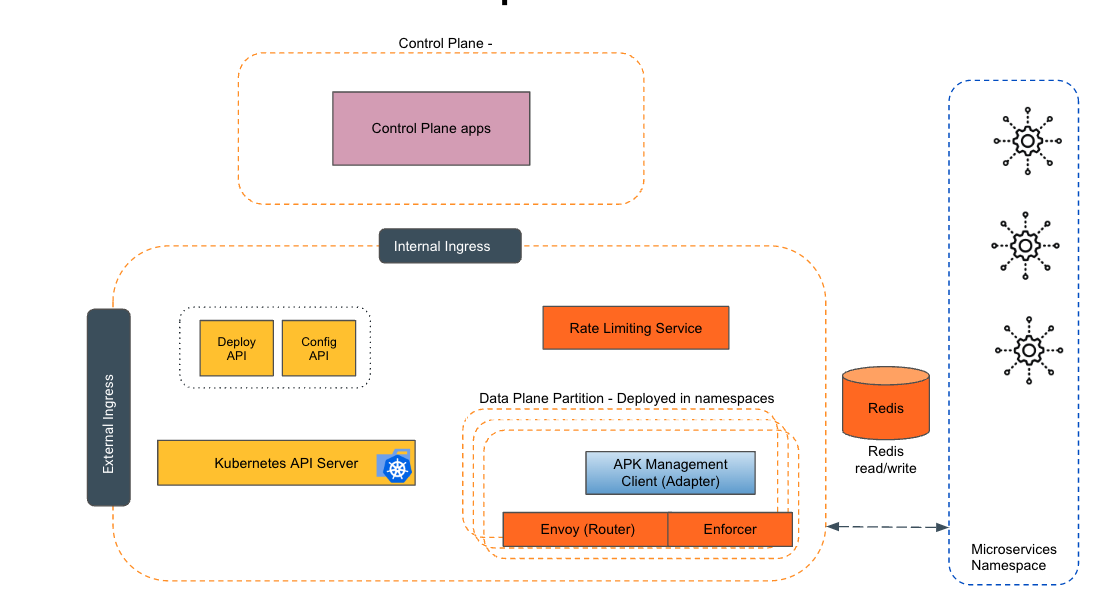
Empowering the Future of API Management: Unveiling the Journey of WSO2 API Platform for Kubernetes (APK) Project and the Anticipated Alpha Release

  Introduction In the ever-evolving realm of API management, our journey embarked on the APK project eight months ago, and now, with great a...